Manage blocked attachments in Outlook: get access to them or block unwanted filetypes
Table of contents:
General information
By default Microsoft Outlook blocks attachment types that are considered to be insecure for use. This is done for security reasons - similar files may contain viruses. However, it sometimes happens that you fully realize the potential danger of using insecure file types, but you must necessarily gain access to them. The standard means of Microsoft Outlook doesn’t allow that. But Attachment Processor has a separate Outlook addon included in it - Blocked Attachments Manager. With the help of it you can manage which file types must be considered “dangerous” and must be blocked, and which “secure” and the access to them must be allowed.
Example of component use
When you receive a message that contains some dangerous file, this Outlook addon will inform you about it with the following notification:
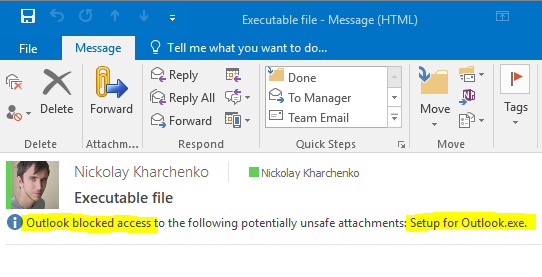
To allow using blocked filetypes, go to Options > Tools > Blocked Attachments Settings. And select the attachment types that you want to have access to:

After making changes, restart Microsoft Outlook for them to be applied. And you will see that now you have access to the file types that have been blocked before:
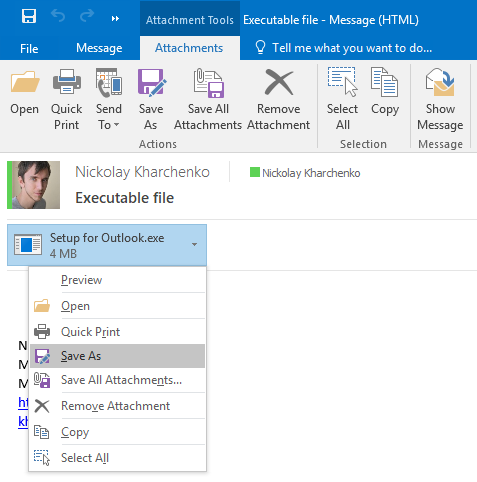
Blocked Attachments Manager component is one of many features included into the program. You can learn more about other program components and download the trial version at the Attachments Processor for Outlook product page.
|
|
|












 Primary Download


 Product Home Page