Discontinued product: no longer developed, sold and serviced
- The licenses can no longer be purchased after 7/1/2022.
- We guarantee technical support for all licensed products until 7/1/2025.
- If you need to get the last available version of the software or have any additional questions, please contact our customer care.
MAPILab Rules for Exchange is a program for creating and managing Microsoft Exchange Server and Microsoft Small Business Server 2000/2003 server-side rules for the processing of incoming messages. The product provides much more flexibility and functionality than server-side rules created in Microsoft Outlook. It supports all types of messages and employs a completely different technological working base.
Please note, that MAPILab Rules is not compatible with latest Microsoft Exchange Server editions, but we offer some other solutions for Exchange Server 2019, 2016, 2013, 2010, 2007, 2003 which cover some of required features:
At present, what the functional features of our product provides you with can only be achieved through ordering custom scripts for Microsoft Exchange Server. But along with its functional features, MAPILab Rules for Exchange has a number of serious advantages:
Easy-to-use. It is as easy to use the program as the Rules Wizard in Microsoft Outlook. The regular interface of the Rules Wizard allows any competent user to create and manage these rules!
No more scripts! Forget about scripts, debugging and testing! Now any rule can be created with a few mouse clicks. Moving over to MAPILab Rules for Exchange does not require any change to the scripts you already have in operation.
Seamless integration. Server-side rules are applied prior to server-side rules created in Microsoft Outlook and yet prior to rules applied on the client side. A special manager for the server message filters will provide seamless integration even in the most complex systems that have additional server software installed, such as antivirus software, anti spam software, content filters, etc.
High ROI. Our product justifies its expense within a short period of time: the system administrator no longer has to spend his time searching for scripts, or the deployment and adjustment of debugging processes. At the same time, you get a considerable reduction in expense just on the maintenance of this deployed solution!
Administration
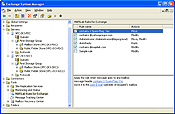
MAPILab Rules for Exchange is administrated with the help of a snap-in application integrated into the Tools branch of the Exchange System Manager.
MAPILab Rules for Exchange displays rules in the form of a list where you can change their order. While processing messages, rules are applied one after another from top to bottom.
Rules consist of:
- One of the five Primary Conditions that determine the set of Secondary Conditions and Actions coming afterwards:
- Message is delivered anywhere
- Message is delivered to any mailbox
- Message is delivered to the specified public folders tree
- Message is delivered to specified recipient
- Message is delivered to the member of the specified address list
- Several Secondary Conditions, for example:
- The subject line contains specific words
- Assigned to the specified message class
- Etc.
- One or several Actions, for example:
- Move the message to the specified mailbox folder
- Assign it to the specified message class
- Etc.
Here are some sample descriptions of rules that can be created with MAPILab Rules for Exchange:
- Apply this rule when message goes to any mailbox
Message header contains X-Spam-Flag: Yes
Move it to the Spam subfolder of the recipient's mailbox
- Apply this rule when message goes anywhere
The sender's address contains @mapilab.com
Mark it as a high importance
- Apply this rule when message goes to Public Folders public folders tree
Recipient's address contains @yahoogroups.com
And assigned to IPM.Post message class
Assign it to the IPM.Note message class
If you want to suggest new Conditions and Actions that should be added to the program, you can do it using the corresponding form on the right.
System requirements
- Microsoft Windows Server 2000/2003 or Microsoft Small Business Server 2000/2003.
Service Pack 3 or later is required for Microsoft Windows Server 2000;
- Microsoft Exchange Server 2000 or Microsoft Exchange Server 2003.
Service Pack 2 or later is required for Microsoft Exchange Server 2000;
- Microsoft Internet Explorer 6.0 or later;
- Administrator and Schema Admins rights to install;
- Administrator privileges to configure.
|










 Product Home Page